Wallets manage keys
A crypto wallet helps you manage the keys used to access and authorize activity for your addresses. Assets are recorded on the blockchain; the wallet is the tool you use to interact with them.
A practical introduction to blockchains, crypto wallets, transaction statuses, and safer ways to troubleshoot common issues.
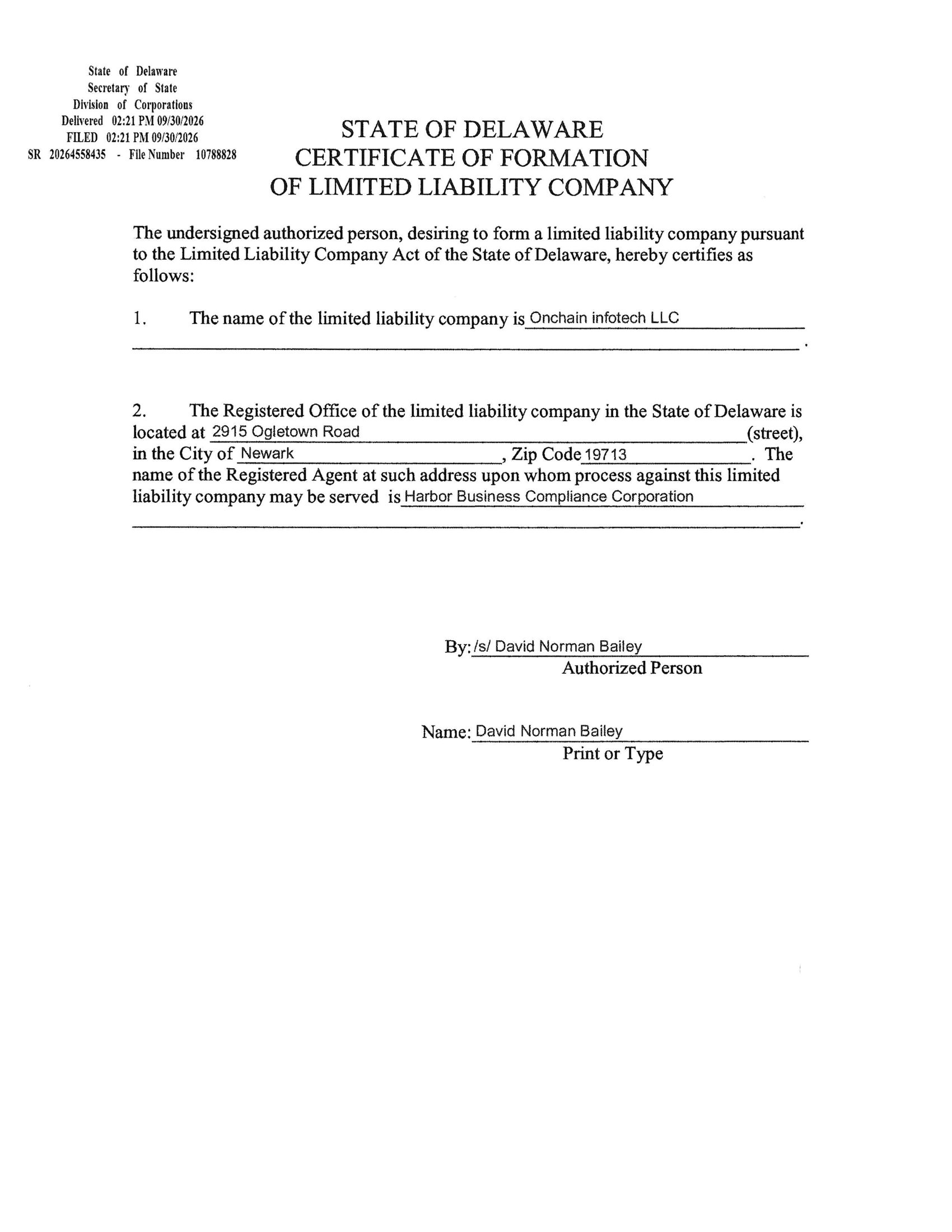
Start with blockchain basics Learn the core ideas step by stepONCHAIN INFOTECH LLC is operated by Onchain Infotech LLC, a limited liability company formed in Delaware, United States (File No. 1078828).
Delaware Certificate of Formation
File No. 1078828

A blockchain is a shared record maintained by a network of computers. A transaction is a request to update that record.
A crypto wallet helps you manage the keys used to access and authorize activity for your addresses. Assets are recorded on the blockchain; the wallet is the tool you use to interact with them.
A public address can be used to receive assets on a compatible network. Always confirm the full address and network before sending.
Different blockchains are not automatically interchangeable. Check that the sending and receiving services support the same network.
The exact process varies by blockchain, but most transactions follow a similar sequence.
Your wallet displays transaction details. Check the destination, network, amount, and any fee before approving.
The signed transaction is sent to the network. A transaction ID (hash) may be provided so you can look up its progress in the relevant block explorer.
Network participants process transactions under that chain's rules. Congestion, fees, and network-specific mechanisms can affect timing.
Use a trusted block explorer for the correct network and compare the transaction ID and destination.
Do not repeat a payment just because an app looks stuck. First check the transaction ID on the correct network.
Learning the vocabulary makes wallet prompts and network explorers easier to understand.
A batch of valid transactions added to a blockchain, linked to earlier blocks creating an ordered history.
The rules a network uses to agree on which transactions belong in its shared history.
A fee paid for processing a transaction. On some networks, "gas" measures the computational work required.
Program code that runs on a blockchain when its conditions are met. Review permissions carefully before approving.
Tip: A transaction marked "confirmed" has been included according to that network's rules. Some services wait for additional confirmations before treating a deposit as final.
For a wallet or app issue, start here before taking further action.
Check your internet connection and the wallet's official service-status page. Update only through the official app store or provider website.
Use a known data-capable cable, try another USB port, and follow the manufacturer's official connection steps.
Look up the transaction ID on a block explorer for the exact network before taking further action.
Confirm the selected account, network, and asset, then refresh the wallet. Never enter your recovery phrase into an explorer.
Keep these rules in mind every time you interact with a blockchain application.
Usually, no. Many blockchain transactions are irreversible after confirmation. If you sent funds to the wrong address or network, contact the receiving service through its official channel; recovery is not guaranteed.
It is a sensitive backup that may restore access to a wallet. Anyone who obtains it may be able to control the wallet. Store it securely and never share it or enter it into an unsolicited website.
Many networks charge a fee to process or include transactions. The amount depends on the network and current conditions. Review the fee shown by your wallet before you approve.
Confirm the network, destination, asset, amount, and fee. For a smart-contract interaction, read the permission request and make sure you reached the intended application using a trusted source.
Start with documentation from the network or wallet provider itself. Useful references include Ethereum.org's wallet guide, its transaction overview, and the FTC guide to cryptocurrency scams.
This page provides general educational information, not financial, legal, or investment advice.
For account-specific help, use the official support channel listed by your wallet, exchange, or device manufacturer.